Premium · £2.99 per month

Everything your highlights could ever need, unlocked.

Four features that take your reading further — export to PDF, export to Notion, automatic sync to Obsidian, and automatic WiFi sync from KOReader. Cancel anytime.

£2.99 / month
Upgrade now →
Cancel anytime · no hidden fees
Feature 01 · Export

A beautifully-typeset book of your highlights.

Download every passage you've ever marked as a formatted PDF — one section per book, chapter headings preserved, highlights sorted by date. Print it, archive it, gift it.

  • One section per book, sorted alphabetically
  • Chapter headings where your source provides them
  • Choose which books to include before exporting
  • Works with Kobo, KOReader, Kindle & Readwise
  • Generated in your browser — nothing uploaded
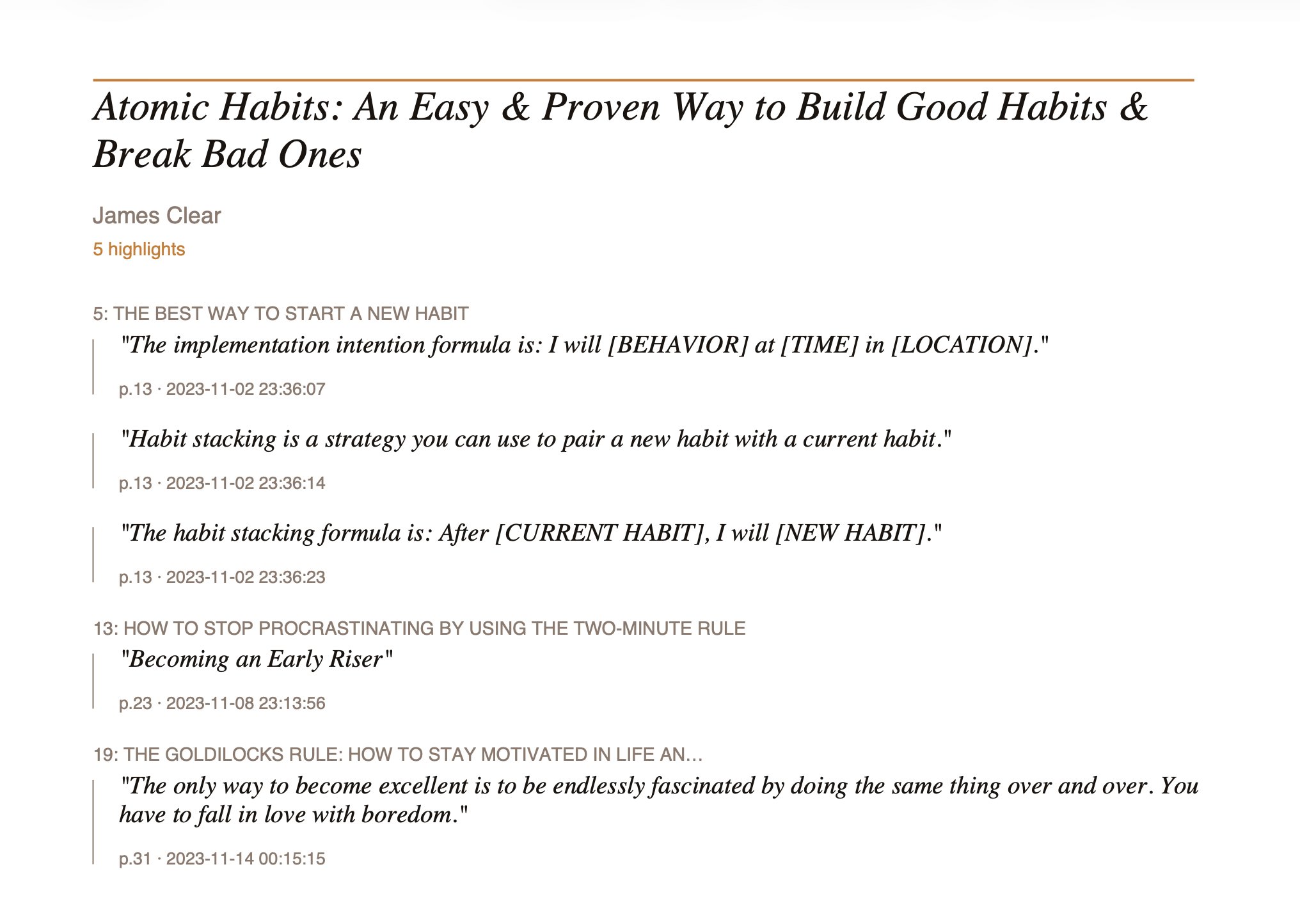
PDF export showing Atomic Habits highlights formatted with chapter headings
Atomic Habits — exported PDF
Feature 02 · Export

Send highlights straight into your Notion workspace.

One page per book, nested under a parent export page. Chapter headings become section dividers. Connect once via OAuth and export with a click — no copy-pasted API keys.

  • One Notion page per book, nested under a parent page
  • Chapter headings as Notion heading blocks
  • Page and date metadata under each highlight
  • OAuth connection — no API keys to paste
  • Pick which books to include before export
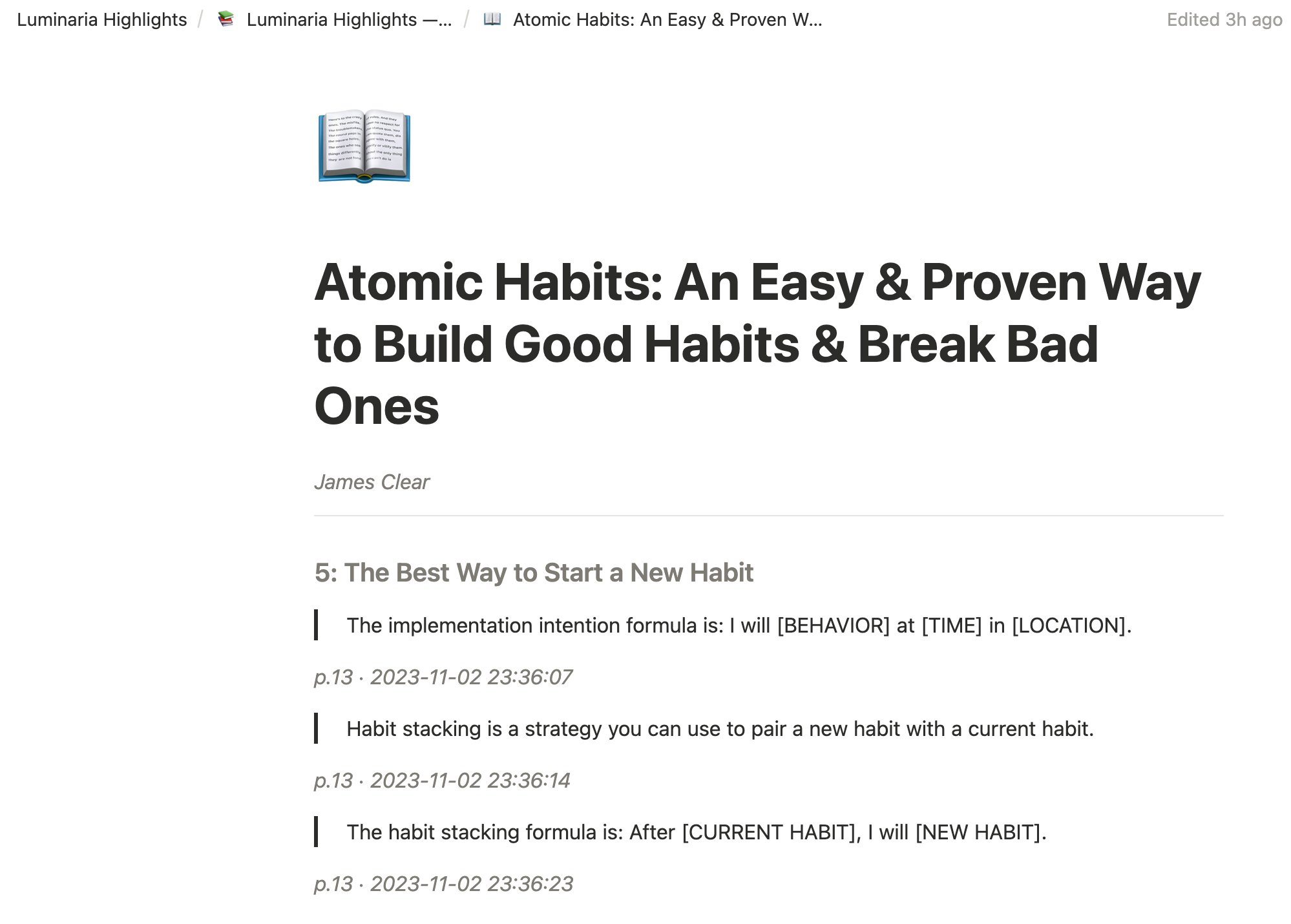
Notion page showing Atomic Habits highlights with chapter headings
One page per book in Notion
Feature 03 · Auto-sync · KOReader

Highlights appear before you've even opened the app.

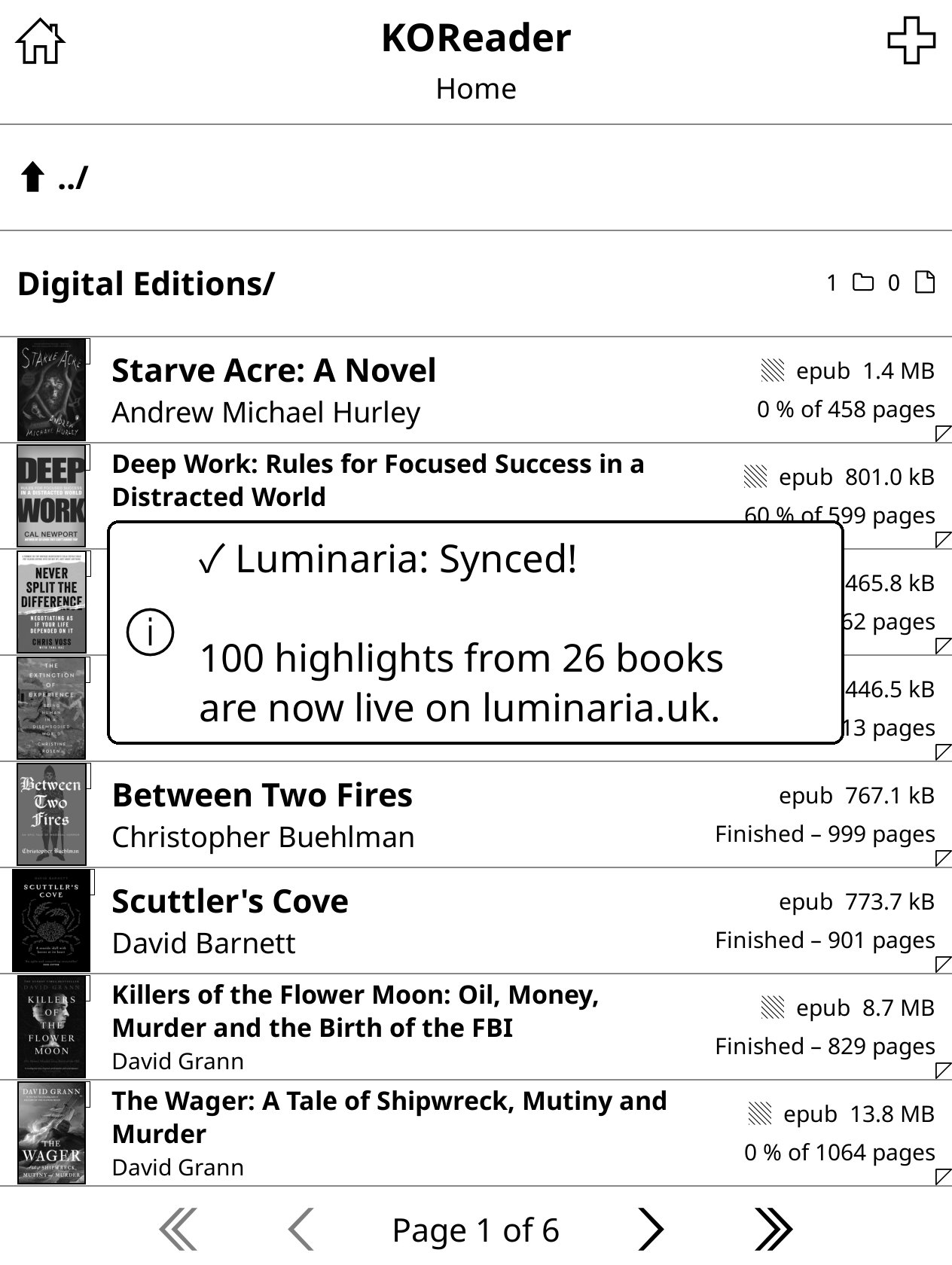
With the free Luminaria KOReader plugin installed, your highlights sync automatically every time your device wakes on WiFi. Read on the train, open Luminaria at home — already there.

  • Syncs when your device wakes and WiFi is available
  • No taps required — just read
  • Manual sync still available as a backup
  • Works on Kobo, jailbroken Kindle & other KOReader devices
  • Requires the free Luminaria KOReader plugin
KOReader showing Luminaria sync confirmation — 100 highlights from 26 books synced
Sync confirmation on-device
Feature 04 · Auto-sync

A living markdown vault, synced to your reading.

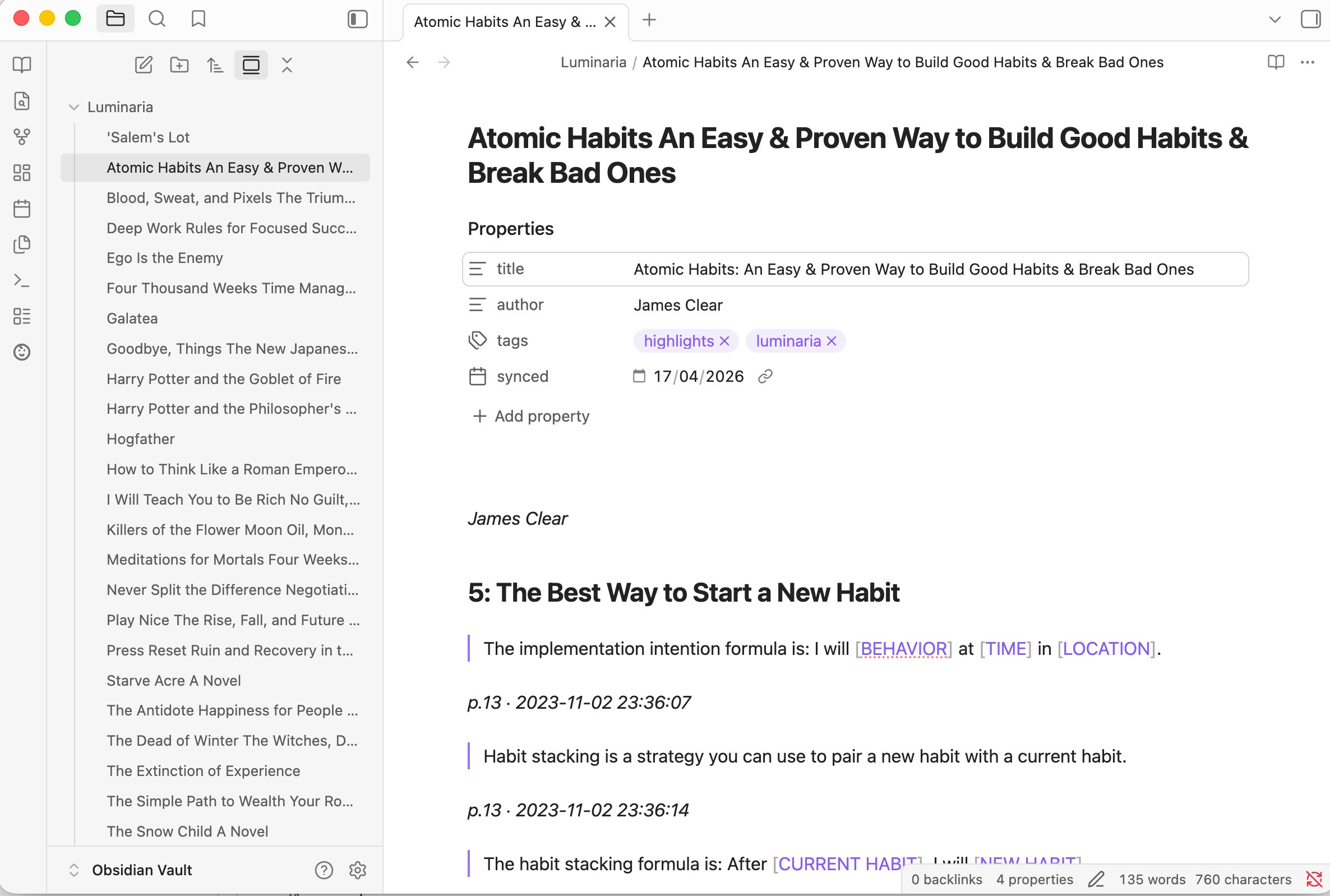
The Luminaria Obsidian plugin drops your highlights directly into your vault — one .md file per book with YAML frontmatter, chapter H2s, and highlights sorted by date. Sync on startup or on demand.

  • One .md file per book, folder of your choice
  • YAML frontmatter: title, author, tags, sync date
  • Chapter headings as H2 sections
  • Sync on startup — vault always up to date
  • Updates existing files on re-sync — no duplicates
  • Works on desktop and mobile Obsidian
View plugin on GitHub →
Obsidian vault showing Luminaria highlights synced — Atomic Habits with chapter headings and YAML frontmatter
Markdown in your vault
£2.99
Per month
Cancel anytime.
Four
Unlocked features
PDF, Notion, Obsidian sync & KOReader WiFi sync.
Private
By design
Exports generated in your browser. Nothing uploaded that doesn't need to be.
Ready when you are

Unlock the full shelf.

£2.99 a month. Cancel anytime. You'll need a free token first if you don't have one.

£2.99/mo
Upgrade →